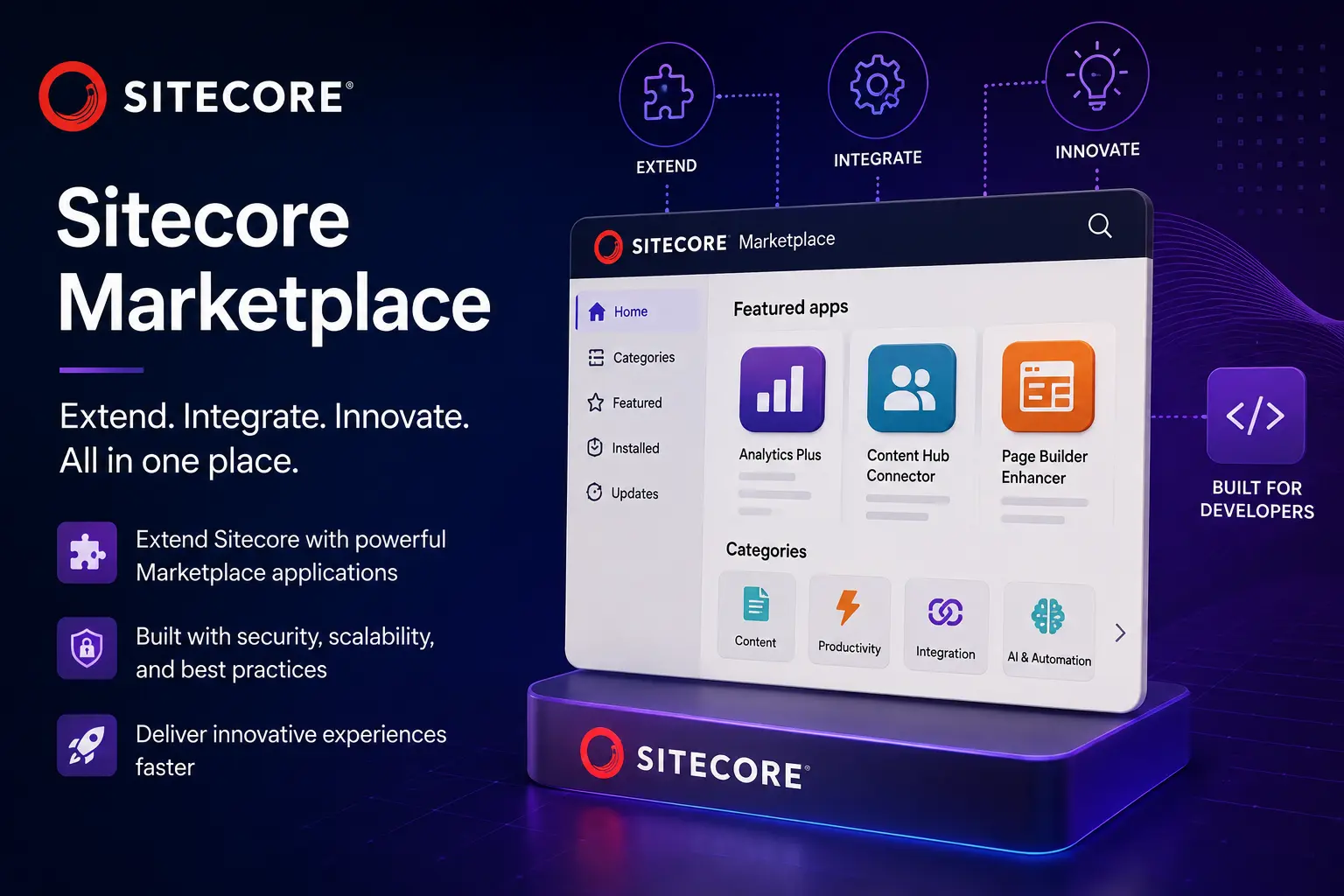
Building Sitecore Marketplace Apps with Marketplace SDK
Introduction
Sitecore Marketplace changes the way developers extend Sitecore.
Instead of modifying the Sitecore platform itself, developers can build focused applications that plug into Sitecore and give authors, marketers, and other users capabilities that aren’t available out of the box.
With Sitecore Marketplace SDK, those applications are JavaScript or TypeScript applications that communicate with Sitecore through the Marketplace SDK. The SDK provides the client-side communication layer, while optional packages provide access to SitecoreAI APIs and other capabilities.
The important thing to understand is that a Marketplace app isn’t simply a web application embedded in Sitecore.
It runs as an application within a Sitecore extension point and communicates with its Sitecore host through the Marketplace SDK. That distinction drives many of the architectural decisions you’ll make when building one.
What Is a Sitecore Marketplace App?
A Marketplace app is a JavaScript or TypeScript application that extends Sitecore functionality.
The application can provide a focused experience such as:
- Custom authoring tools
- Page Builder extensions
- Custom fields
- Content management utilities
- Site management tools
- Marketing workflows
- Dashboard applications
- External-system integrations
- Custom SitecoreAI functionality
Sitecore separates Marketplace applications into two broad categories:
Custom Apps
Custom apps are designed for a particular Sitecore organization and business requirement.
For example:
A manufacturer could build a custom Marketplace app that lets content authors select products from an external PIM and insert them into Sitecore pages.
Public Apps
Public Marketplace apps are intended to be reusable across Sitecore customers.
The underlying development model is essentially the same. The important difference is how the application is registered and distributed.
Understanding the Marketplace SDK
The Marketplace SDK is intentionally modular.
The core package is:
@sitecore-marketplace-sdk/clientThis package is required for Marketplace applications.
Additional packages can be installed when your application needs functionality beyond basic Marketplace communication.
For example:
@sitecore-marketplace-sdk/client
        |
        +---- Core Marketplace communication
        |
        +---- @sitecore-marketplace-sdk/xmc
        |          |
        |          +---- SitecoreAI APIs
        |
        +---- Other SDK capabilities as required
One of the important architectural decisions in the SDK is that you don’t need to install every package.
Install the functionality your application actually uses.
Before Writing Code: Decide What You’re Building
One of the easiest mistakes is starting with:
“Let’s create a Next.js application.”
That’s backwards.
Before creating the project, decide:
- What does the application do?
- Where will it appear in Sitecore?
- Does it need SitecoreAI APIs?
- Does it need server-side processing?
- What authorization model will it use?
- What data does it need?
- Does it need to modify Sitecore content?
- Does it need to react to events from Sitecore?
These decisions determine the architecture.
Client-Side vs. Full-Stack
This is probably the most important architectural decision when creating a Marketplace application.
Client-Side Marketplace Apps
A client-side application runs in the user’s browser.
The architecture looks roughly like this:
+-----------------------+
|       Sitecore        |
|                       |
|   Extension Point     |
|          |            |
+----------|------------+
           |
           | Marketplace SDK
           |
+----------v------------+
|   Marketplace App     |
|                       |
|      Browser          |
+-----------------------+
This model works well for applications such as:
- Authoring utilities
- UI extensions
- Custom fields
- Page Builder tools
- Lightweight dashboards
- Applications that don’t require server-side processing
The Sitecore user interacts directly with the application.
Full-Stack Marketplace Apps
A full-stack application adds a server-side component.
+-----------------------+
|       Sitecore        |
+-----------+-----------+
            |
            |
+-----------v-----------+
|    Marketplace App    |
|                       |
|  Browser / UI         |
|        |              |
|        v              |
|  Server-side logic    |
|        |              |
+--------|--------------+
         |
         v
 External APIs
This becomes particularly useful when your application needs:
- Server-side processing
- Third-party integrations
- Secure credentials
- Backend orchestration
- Server-to-server API calls
- AI-powered workflows
- Agentic functionality
The distinction matters because you shouldn’t put secrets or sensitive server credentials into browser code.
Choosing React or Next.js
Marketplace SDK works with JavaScript and TypeScript applications.
For a straightforward client-side application, React is a reasonable choice.
For applications that require server-side functionality, Next.js is generally the better fit.
A useful rule of thumb is:
Simple UI extension
        |
        v
React

UI + server-side processing
        |
        v
Next.js
Creating the Project
There are two approaches with the Marketplace SDK:
Manual Setup
Create a React or Next.js project yourself and install the Marketplace SDK packages.
CLI Setup
Use the Marketplace SDK scaffolding process to create the application.
For a new project, I’d generally start with the CLI unless you have a reason to control the project structure yourself.
Installing the Marketplace SDK
For a basic Marketplace application:
npm install @sitecore-marketplace-sdk/clientIf your application needs SitecoreAI APIs, install the appropriate additional SDK package as well.
The important distinction is that the client package is the foundation of the Marketplace application, while additional packages are capability-specific.
Don’t install packages simply because they are available.
Keep the application dependency surface as small as practical.
Initializing the Marketplace Client
The first major piece of application code is the Marketplace client.
A simplified pattern looks like this:
import { ClientSDK } from "@sitecore-marketplace-sdk/client";

const client = new ClientSDK();

await client.initialize();
In a React application, you’ll normally wrap this in a hook so initialization state can be managed by the application.
A typical implementation needs to account for:
- Initialization
- Loading state
- Errors
- Client availability
- React lifecycle
- Communication with the Sitecore host
The Marketplace App Runs Inside Sitecore
This is an important difference from a normal web application.
Your Marketplace application is designed to run inside a Sitecore extension point.
That means your application communicates with its host.
For example:
Sitecore Page Builder
        |
        | SDK communication
        |
        v
Marketplace Application
The Marketplace client provides the communication layer.
You shouldn’t have to build your own iframe communication protocol.
Reading the Application Context
Once the Marketplace client has initialized, one of the first useful operations is retrieving the application context.
For example:
const response = await client.query("application.context");

console.log(response.data);
This lets the application retrieve information about its Marketplace context.
This also gives you a useful development milestone:
Application starts
       |
       v
Marketplace client initializes
       |
       v
application.context succeeds
       |
       v
Application can communicate with Sitecore
If this doesn’t work, there’s little point debugging your business logic yet.
Queries vs. Mutations
The Marketplace SDK follows a pattern that should feel familiar to developers who have worked with GraphQL or similar data-access libraries.
There are two fundamental operations:
Query
  |
  v
Read information

Mutation
  |
  v
Change something
For example:
const result = await client.query(
  "application.context"
);
A mutation might perform an action that changes state or causes an operation in Sitecore.
This distinction is useful because it makes the application code much easier to reason about.
Building a Useful Marketplace App
Let’s say we’re building a simple application called:
Product Content Assistant
The goal is to allow an author to select a product and retrieve product information from an external system.
The architecture could look like this:
                 Sitecore
                    |
                    |
             Marketplace SDK
                    |
                    v
        +-----------------------+
        | Product Content       |
        | Assistant             |
        +-----------+-----------+
                    |
                    |
             Product API
                    |
                    v
                  PIM
The author might:
- Open the Marketplace application.
- Search for a product.
- Select the product.
- Retrieve product information.
- Review the content.
- Insert or update Sitecore content.
That is a more interesting use of Marketplace than simply building another standalone dashboard.
Using Sitecore APIs
When your application needs to interact directly with SitecoreAI, the Marketplace SDK provides the appropriate APIs through the SDK packages.
This allows the application to perform operations such as:
- Retrieve Sitecore data
- Retrieve page information
- Work with sites
- Modify content
- Manage languages
- Interact with SitecoreAI functionality
The exact operations available depend on the SDK package and version.
Sitecore exposes the available operations through the package’s QueryMap and MutationMap references.
Always verify the version-specific API reference.
Custom Fields
One of the more practical Marketplace extension points is the custom field.
Imagine a Sitecore authoring experience where a standard text field isn’t enough.
You could build a Marketplace custom field that provides:
- Product selection
- Asset selection
- External data lookup
- AI-assisted content
- Structured metadata
- Custom validation
- Third-party integration
The Marketplace SDK allows the application to read and write the custom field’s value.
For example:
const value = await client.getValue();And the application can subsequently update that value.
This is a good example of where Marketplace becomes genuinely useful: you’re extending the authoring experience without modifying the Sitecore product itself.
Navigating the Sitecore User
Another useful capability is programmatic navigation.
Imagine your Marketplace application creates a new Sitecore page.
Rather than telling the author:
“The page was created. Now go find it.”
the application can take the user directly to the new page.
The SDK documentation demonstrates this using the pages.context mutation:
client?.mutate("pages.context", {
  params: {
    itemId: "<ID_OF_NEW_PAGE>",
  },
});
This is a small feature, but it makes a big difference to the user experience.
The application can become part of the author’s workflow rather than a disconnected utility.
Events Make Marketplace Apps More Useful
Queries and mutations are useful when the user explicitly does something.
Events become useful when the application needs to react to something happening in Sitecore.
For example:
Author changes page
        |
        v
Sitecore event
        |
        v
Marketplace app
        |
        v
Update application state
This can be useful for applications that need to remain synchronized with the Sitecore authoring experience.
Instead of continuously polling Sitecore, the application can respond to relevant events.
Security Should Influence the Architecture
A common mistake with Marketplace applications is treating security as something to add later.
It should influence the architecture from the beginning.
For example, if an application needs a third-party API key:
BAD

Browser
   |
   +---- Third-party API key
Anyone who can inspect the browser application may potentially discover that credential.
Instead:
Browser
   |
   v
Marketplace App
   |
   v
Server
   |
   +---- Secure credential
   |
   v
Third-party API
This is one reason full-stack applications exist.
Keep secrets and privileged operations on the server.
Design the Application for the Sitecore User
A Marketplace app isn’t just another React application.
It is part of someone’s Sitecore workflow.
That means the UX matters.
Sitecore recommends using Blok, its product design system, to give Marketplace applications the Sitecore look and feel.
That means things such as:
- Buttons
- Forms
- Cards
- Dialogs
- Typography
- Spacing
- Navigation
- Status indicators
should feel like they belong inside Sitecore.
A user shouldn’t feel like they’ve suddenly left Sitecore and entered a completely different application.
Development and Local Testing
One subtle point that can trip developers up is local development.
Running:
npm run devdoesn’t mean the application behaves exactly like a normal standalone web application.
Marketplace functionality that depends on communication with Sitecore needs to be tested from the Sitecore extension point.
In other words:
localhost
   |
   | Application code
   v
Sitecore extension point
   |
   v
Marketplace SDK
   |
   v
Sitecore
This is particularly important when debugging.
Don’t assume that because something works when you browse directly to localhost, it will behave identically when loaded inside Sitecore.
A Practical Marketplace Development Lifecycle
I recommend thinking about Marketplace development as six stages.
1. DESIGN
      |
      v
2. ARCHITECT
      |
      v
3. REGISTER
      |
      v
4. BUILD
      |
      v
5. TEST
      |
      v
6. DEPLOY
1. Design
Define:
- User
- Problem
- Extension point
- Required Sitecore data
- External systems
- Security requirements
2. Architect
Decide:
- Client-side vs. full-stack
- React vs. Next.js
- Built-in vs. custom authorization
- Required SDK packages
- Server-side requirements
3. Register
Create and configure the Marketplace application in the Sitecore Cloud Portal / Developer Studio environment.
Configure:
- Application details
- Extension points
- Redirects and URLs
- Authorization
- Permissions
4. Build
Implement:
- Marketplace client
- Queries
- Mutations
- Events
- UI
- External integrations
5. Test
Test the application inside Sitecore, not just as a standalone localhost application.
Test:
- Authorization
- Sitecore communication
- Extension-point behavior
- Error handling
- Permissions
- Different users
- Different environments
6. Deploy
Deploy the application to infrastructure you control and configure the Marketplace application to point to the deployed application.
A Reference Architecture
For a more sophisticated Marketplace application, I’d use something along these lines:
                       SitecoreAI
                           |
                    Extension Point
                           |
                           v
              +-----------------------+
              | Marketplace Frontend  |
              |                       |
              | React / Next.js       |
              | Blok UI               |
              +-----------+-----------+
                          |
                    Marketplace SDK
                          |
              +-----------+-----------+
              |                       |
              v                       v
        Sitecore APIs          Application Server
                                      |
                          +-----------+-----------+
                          |                       |
                          v                       v
                    External APIs             AI Services
This architecture keeps responsibilities separated:
Frontend
Responsible for:
- User interaction
- Sitecore UI
- Application state
- Displaying results
Marketplace SDK
Responsible for:
- Communication with Sitecore
- Queries
- Mutations
- Events
Application server
Responsible for:
- Secrets
- Server-side integrations
- Complex processing
- Third-party APIs
AI services
Responsible for:
- AI-specific functionality where required
Common Mistakes
Treating Marketplace Like a Standalone Website
A Marketplace application is designed to work within Sitecore.
Build around the host integration instead of treating Sitecore as an afterthought.
Putting Everything in the Browser
If the application requires secrets, privileged APIs, or server-side processing, don’t put those operations into client-side code.
Use a server-side architecture.
Installing Every SDK Package
The Marketplace SDK is modular.
Install what you actually need.
At minimum:
@sitecore-marketplace-sdk/clientThen add the packages required by your application.
Testing Only on Localhost
A Marketplace application can appear to work perfectly when accessed directly but fail when embedded in Sitecore.
Always test it from the actual Sitecore extension point.
Ignoring the Sitecore Design System
A Marketplace app that looks completely different from Sitecore creates unnecessary friction.
Use Blok and make the application feel native to the Sitecore experience.
Where Marketplace Gets Really Interesting
The real potential of Marketplace isn’t simply creating another button inside Sitecore.
It’s creating applications that connect Sitecore’s authoring experience with the rest of the enterprise.
Consider an enterprise content workflow:
Author
   |
   v
Sitecore Page Builder
   |
   v
Marketplace App
   |
   +---- PIM
   |
   +---- DAM
   |
   +---- Commerce
   |
   +---- Analytics
   |
   +---- Translation
   |
   +---- AI
   |
   v
Updated Sitecore Experience
The Marketplace app becomes the orchestration layer between the author and the systems they need to work with.
That is where I think Marketplace becomes particularly valuable.
Instead of asking authors to leave Sitecore and work across five different systems, you can bring the most relevant capabilities into the Sitecore experience.
Final Thoughts
Marketplace SDK provides a relatively simple foundation:
Client
  |
  v
Queries
  |
  v
Mutations
  |
  v
Events
  |
  v
Sitecore
But the applications you can build on top of that foundation are considerably more interesting.
The key isn’t the SDK itself.
The key is identifying a piece of the Sitecore user’s workflow that is currently:
- Manual
- Disconnected
- Repetitive
- Dependent on another system
- Difficult for authors
- Or simply missing from the Sitecore experience
Then build a focused Marketplace application around that problem.
A good Marketplace app shouldn’t feel like an external application that happens to be running inside Sitecore.
It should feel like a capability that Sitecore was missing.
References
| Decision | Recommendation |
|---|---|
| Language | JavaScript / TypeScript |
| UI | React or Next.js |
| Simple client-side app | React/Vite |
| Server-side functionality | Next.js |
| Required SDK | @sitecore-marketplace-sdk/client |
| SitecoreAI APIs | Add appropriate SDK package |
| UI framework | Blok |
| Sitecore communication | Marketplace SDK |
| Secrets | Server-side only |
| Local development | Test through Sitecore extension point |
| Custom authoring | Marketplace extension points |
| Custom fields | Marketplace SDK |
| Navigation | Marketplace SDK |
| Production architecture | Client + optional server |
| Versioning | Pin SDK 0.3 dependencies and use 0.3 API documentation |